

What are Azure Verified Modules (AVM) and how to use them with Terraform
Azure Verified Modules (AVM) for Terraform refers to a collection of verified and trusted Terraform modules specifically designed for use with Microsoft Azure. These modules have been reviewed and approved to ensure they meet high-quality standards and best practices for deploying Azure resources.
How do you use the AVMs
AVMs are Terraform modules you can import using the terraform init command once you specify the modules in code. For example, here is a module for an Azure Static Website:
module "avm-res-web-staticsite_example_standard" {
  source  = "Azure/avm-res-web-staticsite/azurerm//examples/standard"
  version = "0.6.0"
}
Once I have this in my config, I can run terraform init to import the module ready for me to use
Where do I find what AVMs are available
Azure Verified Modules has a dedicated website listing current, ongoing, and proposed Azure modules. AVM also supports Bicep, but this article focuses on Terraform.
Visit: https://azure.github.io/Azure-Verified-Modules/
The site also has handy videos and information on using the AVMs to support the initiative.
For Terraform-specific modules, the side menu provides an option for Terraform, from which sub-options can be selected to find the available modules.
What resources do these modules use
That differentiates between each module, as they may contain multiple resources within Azure. You are best selecting a module from the site, which should direct you to the Terraform Registry, which includes more information on the module itself.
For example, for the avm-res-web-staticsite_example_standard module:
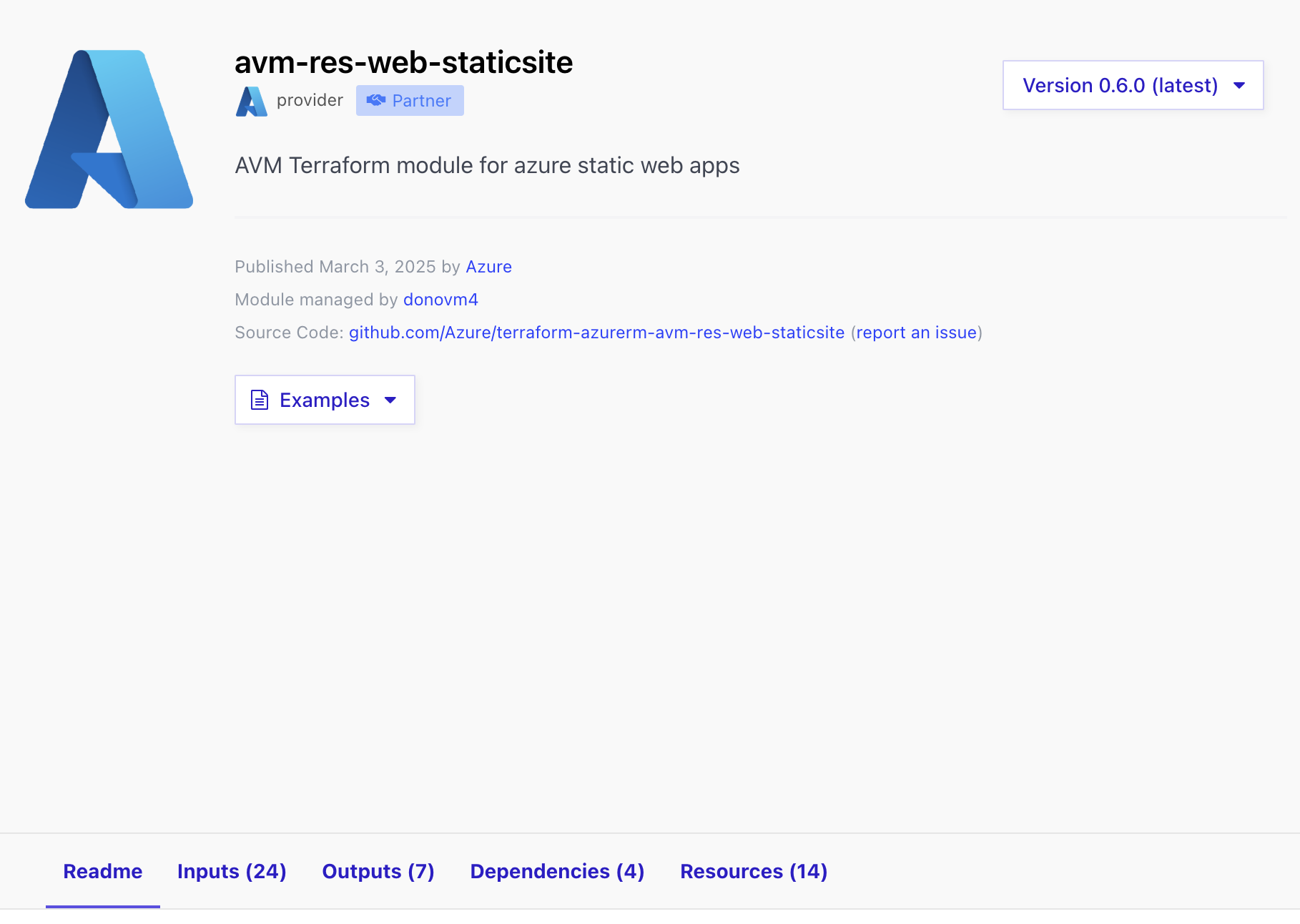
Readme - a detailed explanation of the module, instructions and any other relevant information the maintainers think is helpful for the user
Inputs - what inputs are required or optional to use the module
Outputs - the available outputs the module can export for use within the code
Dependencies - this is usually only contains the providers you must have in code and download for the module to work
Resources - the resources that are defined in the module that will be used as part of the deployment
There is also an option for Examples, where you can see how this module is used in different scenarios.
Why should you use and contribute to AVMs
I believe these are the core reasons why we should use and contribute to AVMs:
Standardisation and Best Practices - These are developed according to Microsoft's Well-Architected Framework (WAF), giving users a well-thought-out architecture with best practices implemented.
Accelerated Deployments - Complex designs have already been written for you and are available to use by importing them into your codebase and adding the inputs you require/desire.
Reliability and Support - AVMs are designed, maintained, and contributed to by Microsoft and community contributors, providing longevity in their maintenance and support when things change in the Azure ecosystem.
Community Collaboration - The most successful tools and codebases are community-driven, and as these are fully open to input and support by the community, your input, along with others will build and grow these modules to be powerful additions to your IaC.
About the author
Executive technology leader responsible for platform reliability, cloud operations, security posture, and enterprise technology risk within an investor-backed fintech environment. I lead technology operations at the intersection of engineering execution, governance, and business outcomes — ensuring platforms are scalable, resilient, and trusted by investors, regulators, and clients.
Currently VP of DevOps at InvestorFlow, where I focus on building board-ready technology operations, strengthening risk and resilience, and shaping long-term platform strategy to support growth and regulatory confidence.
Comments
Join the discussionNo comments yet. Be the first to comment.


